Binding an app to a Region
To see the website archives available at other nodes in the region, we’re going to need to bind our Kiwix app to a particular region
Registering
This is pretty straight forward. In LoRes Node, while logged in as a Node Steward, go to the list of local apps. You should see lores-kiwix there.
Simple press the button that says “Register with REGION_NAME”
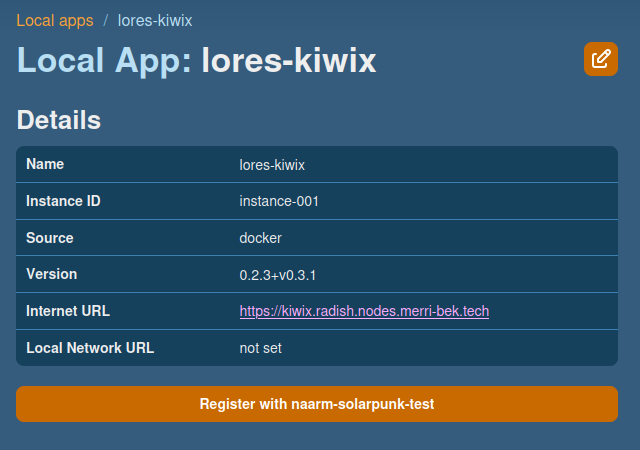
The local app details page in LoRes Node
Note: If your node is part of more than one region, you’ll need to select the region you want in the sidebar first.
Checklist
You should have completed:
- Kiwix is displaying books from other nodes in your region